
You're probably spending hours each day typing emails, updating spreadsheets, searching for files, and switching between apps. What if you could handle many of these tasks just by talking to your computer? An ai voice assistant for pc isn't some futuristic fantasy anymore. It's practical technology that's helping small businesses cut admin time, work more efficiently, and free up headspace for what actually matters. Let's look at what's available right now and how you can put it to work.
What's Actually Available in 2026
The landscape for AI voice assistants on PC has matured significantly. Microsoft's Copilot upgrades have transformed Windows 11 machines into genuinely capable AI workstations, whilst tools like Claude Cowork and other third-party solutions offer specialised capabilities.
Here's what's worth paying attention to:
- Built-in Windows Copilot: Voice-activated assistance directly in Windows 11, handling system tasks, searches, and basic automation
- Standalone AI assistants: Applications like Claude Cowork for Windows that run complex workflows without coding
- Cloud-based solutions: Services like Perplexity's Personal Computer offering deep integration across your system
- NPU-powered apps: Applications leveraging Neural Processing Units for faster, more efficient local AI processing

Why Small Businesses Should Care
Look, we're not talking about fancy tech for the sake of it. An ai voice assistant for pc solves real problems that cost you real time and money.
Consider a typical morning in a recruitment agency. You're reviewing CVs, responding to candidate queries, scheduling interviews, and updating your database. Normally, that's constant typing and clicking. With voice assistance, you can dictate responses whilst reviewing documents, schedule meetings hands-free, and update records without touching your keyboard. That's not revolutionary, but it's genuinely useful.
The same applies across sectors. In retail, you might be processing orders whilst on the phone with suppliers. In professional services, you're juggling client work with administrative tasks. The pattern's the same: time spent on admin is time not spent on revenue-generating work.
Practical Applications Worth Implementing
Let's get specific about what works. These aren't theoretical use cases, they're tasks small businesses are handling right now with an ai voice assistant for pc.
Email and Communication
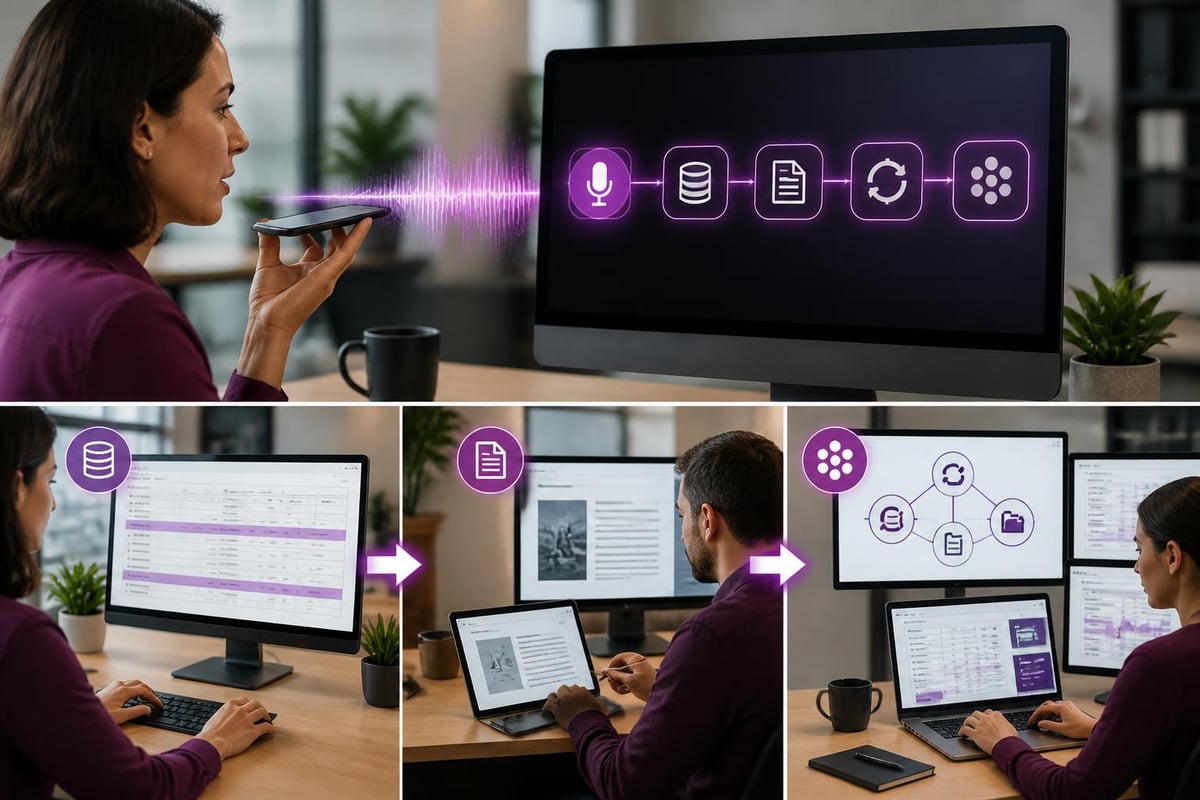
Voice dictation has existed for years, but modern AI assistants go further. They understand context, maintain consistent tone, and can reference previous conversations.
Real-world workflow:
- Say "Draft an email to Sarah about next week's meeting"
- The assistant pulls up Sarah's contact details and recent communications
- Dictate your message naturally (no robotic speech needed)
- The AI formats it properly and suggests improvements
- Review and send
This works particularly well when you're multitasking. Responding to a supplier enquiry whilst checking stock levels? Just talk through both tasks.
Document Creation and Data Entry
Creating quotes, updating spreadsheets, filling in forms-these tasks are tedious but necessary. Voice commands can handle much of this work, especially when integrated with your existing systems.
| Task Type | Traditional Method | With Voice Assistant | Time Saved |
|---|---|---|---|
| Creating customer quotes | Open template, type details, format | Dictate customer name and requirements | 60-70% |
| Updating job records | Navigate system, manual entry | Voice command with job number | 50-60% |
| Meeting notes | Type during/after meeting | Real-time transcription and formatting | 70-80% |
| Expense logging | Manual spreadsheet entry | Verbal description with auto-categorisation | 65-75% |
Research and Information Retrieval
How much time do you spend searching for information? Finding that email from three months ago, locating a specific document, checking what a client ordered last time?
Voice search with AI understanding makes this significantly faster. Instead of remembering exact filenames or keywords, you describe what you need: "Find the proposal we sent to Johnson Construction in February" or "What did we quote for kitchen fitting last month?"
Setting Up for Success
Right, so how do you actually get started without making it complicated?
Begin with what's already there. If you're running Windows 11, you've got Copilot built in. Enable it, spend a week using it for basic tasks, and see what sticks. You might find it handles 30% of your needs straight away. Understanding whether to disable or enable features based on your workflow is part of finding what works.
Add specific tools where needed. If you're doing lots of data entry, look at AI assistants specialised for that. If you're managing projects, find one that integrates with your project management software.
Think about privacy and security. Not all voice assistants work the same way. Some process everything in the cloud, others keep data local. For small businesses handling customer information, this matters. Research shows that privacy-aware voice assistants can operate entirely offline, which might be relevant for sensitive operations.
Integration Points That Matter
Your ai voice assistant for pc only delivers value if it connects with the tools you actually use. Here's what to prioritise:
- Email client integration: Outlook, Gmail, or whatever you use daily
- CRM/database access: Customer records, job history, contact details
- Calendar and scheduling: Reducing the back-and-forth of booking meetings
- Document management: Quick access to quotes, invoices, contracts
- Communication platforms: Teams, Slack, or your preferred messaging tool
The more seamlessly these connect, the less you're jumping between apps and interfaces.
Common Challenges and Realistic Expectations
Let's be honest about limitations. An ai voice assistant for pc won't magically solve every problem, and some implementations work better than others.
Accuracy isn't perfect. You'll occasionally need to correct misunderstood commands or check AI-generated content. That's fine. You're still saving time overall, but don't expect 100% hands-off operation.
Context matters. Voice assistants work brilliantly for some tasks and poorly for others. They're excellent at repetitive admin, decent at creative tasks with clear parameters, but struggle with highly nuanced decisions that require judgement calls.
Your environment affects performance. Noisy office? Open-plan workspace? Background conversations can confuse voice recognition. Consider when and where voice commands make sense in your setup.
Beyond the Hype: What Actually Works
We see a lot of AI hype in the market, but small businesses need practical AI tools that deliver measurable results. Voice assistants fall into this category when implemented thoughtfully.
The businesses getting real value aren't using every feature available. They've identified 3-5 repetitive tasks that consume significant time and automated those first. Once that's working smoothly, they expand to other areas.
This aligns with how business process automation with AI should work: start small, prove value, then scale. It's the opposite of trying to revolutionise everything at once.

Measuring What Matters
How do you know if your ai voice assistant for pc is actually helping? Track specific metrics:
- Time spent on admin tasks: Before and after implementation
- Email response times: Are you handling enquiries faster?
- Data entry errors: Voice dictation accuracy vs. manual typing
- Employee feedback: Are team members actually using it?
If you're not seeing improvement in at least two of these areas within a month, something needs adjusting.
Industry-Specific Opportunities
Different sectors benefit from voice assistance in different ways. Here's what we're seeing work well:
Trades and construction: Job updates, quote creation, supplier orders whilst on-site or driving between jobs. Hands-free operation when you're literally hands-on with work.
Retail and eCommerce: Inventory checks, order processing, customer query responses without interrupting face-to-face service or warehouse operations.
Professional services: Meeting notes, client record updates, research whilst maintaining focus on billable work. Similar to how AI virtual agents can handle routine client interactions.
Recruitment: Candidate notes, interview scheduling, database updates. The pattern recognition in modern AI helps identify relevant skills and experience faster than manual searching.
Making It Part of Your Workflow
Technology only works when people actually use it. That means making voice assistance feel natural rather than forced.
Start by replacing one specific task you do multiple times daily. Use voice commands for that single task for two weeks. Once it becomes automatic, add another task. This gradual approach prevents the "try everything at once and abandon it all" pattern that kills most new tools.
Train your team on practical use cases, not features. Show them how to dictate an email to a customer, not how the speech recognition algorithm works. The implementation details don't matter; the time saved does.
An ai voice assistant for pc represents a genuine opportunity to reduce administrative burden and work more efficiently, but only when implemented with clear objectives and realistic expectations. If you're ready to identify which processes in your business could benefit from AI automation and want expert guidance on implementation that delivers measurable results, AI 4 Small Business can help you cut through the noise and build solutions that actually work for your specific situation.